
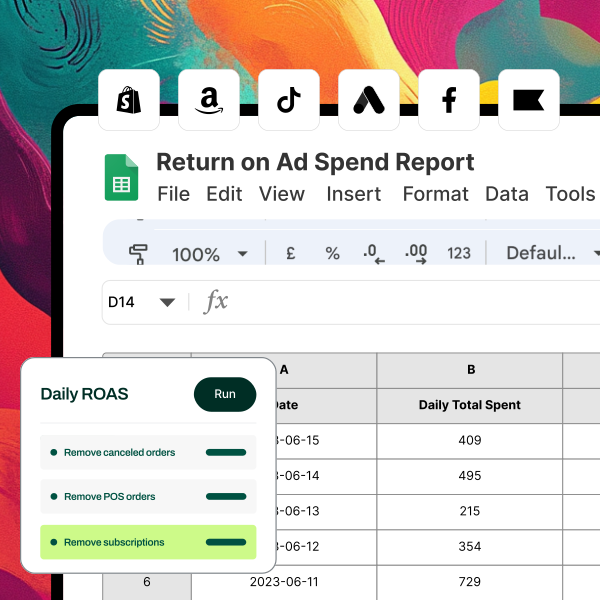
Discover Airboxr- Your Ultimate GSheet Add-On for Data Management
In today’s data-driven world, the ability to efficiently manage and analyze data is crucial for businesses and individuals alike. Enter Airboxr, a powerful Google Sheets add-on that revolutionizes the way users interact with their data. With Airboxr, you can copy, filter, analyze, and enrich your data without ever leaving your spreadsheet. This tool eliminates the need for complex coding, macros, or extensive learning curves, allowing users to focus on what truly matters: deriving insights from their data. In this article, we will explore what Airboxr is, how it works, and the numerous benefits it offers to users.
Understanding Airboxr
Airboxr is designed to enhance the functionality of Google Sheets by providing users with a suite of tools that simplify data management. Whether you’re a marketer analyzing campaign performance, a business analyst preparing reports, or a content creator managing data for your projects, Airboxr streamlines the process, making it accessible to everyone.
Key Features of Airboxr
Airboxr stands out in the realm of data management tools due to its unique features. Here are some of the most notable:
No-Code Interface: Airboxr is built for users of all skill levels. Its no-code interface allows anyone to manipulate data without needing to write complex formulas or scripts.
Data Enrichment: With Airboxr, you can enrich your data by pulling in additional information from various sources. This feature is particularly useful for marketers looking to enhance their customer databases or analysts seeking to add context to their datasets.
Real-Time Data Filtering: Users can filter their data in real-time, allowing for quick analysis and decision-making. This capability ensures that you’re always working with the most relevant information.
Seamless Integration: Airboxr integrates effortlessly with various data sources, including databases, APIs, and other applications. This integration allows users to pull data directly into their Google Sheets without any hassle.
User-Friendly Dashboard: The intuitive dashboard provides users with a clear overview of their data and the actions they can take. This design enhances the user experience and makes data management straightforward.
How Airboxr Works
To fully appreciate the capabilities of Airboxr, it’s essential to understand how it operates. The platform is designed to streamline the data management process through a series of straightforward steps.
Step 1: Installing the Airboxr Add-On
Getting started with Airboxr is simple. Users can install the add-on directly from the Google Workspace Marketplace. Once installed, Airboxr will be accessible from the Google Sheets menu, allowing for easy integration into your workflow.
Step 2: Connecting Data Sources
After installation, users can connect their data sources. Airboxr supports a variety of integrations, including popular databases, APIs, and cloud storage services. This connectivity allows users to pull in data from multiple sources seamlessly.
Step 3: Importing Data
Once your data sources are connected, you can begin importing data into your Google Sheets. Airboxr allows users to select specific datasets, apply filters, and customize the import process to suit their needs.
Step 4: Analyzing and Enriching Data
With your data imported, Airboxr provides tools for analysis and enrichment. Users can filter data in real-time, apply various analytical functions, and enrich their datasets with additional information from external sources.
Step 5: Visualizing Insights
Airboxr also offers visualization tools that allow users to create charts and graphs directly within Google Sheets. This feature helps users present their findings in a clear and visually appealing manner.
Benefits of Using Airboxr
The advantages of using Airboxr extend beyond just ease of use. Here are some key benefits that users can expect:
Increased Efficiency
By streamlining the data management process, Airboxr significantly increases efficiency. Users can spend less time on manual data entry and more time analyzing insights that drive business decisions.
Enhanced Data Quality
Airboxr helps ensure that the data being used is accurate and up-to-date. By allowing users to filter and enrich their data, the tool enhances data quality and reliability.
Cost-Effective Solution
Airboxr offers a cost-effective solution for businesses looking to manage their data without investing in expensive software or hiring additional staff. The no-code interface allows teams to operate efficiently without extensive technical expertise.
User-Friendly Experience
The intuitive design of Airboxr makes it accessible to users of all skill levels. Even those with limited technical knowledge can navigate the platform and manage their data effectively.
Seamless Collaboration
Airboxr’s integration with Google Sheets allows for easy collaboration among team members. Users can share their spreadsheets, enabling real-time collaboration and ensuring that everyone is aligned with the project goals.
Use Cases for Airboxr
Airboxr is versatile and can be applied across various industries and functions. Here are some common use cases:
Marketing Analytics
Marketers can use Airboxr to analyze campaign performance, track customer engagement, and enrich their customer databases. The ability to filter and visualize data in real-time allows for quick adjustments to marketing strategies.
Financial Reporting
Finance teams can leverage Airboxr to manage financial data, create reports, and analyze trends. The tool’s ability to pull in data from various sources ensures that financial reports are accurate and comprehensive.
Project Management
Project managers can utilize Airboxr to track project progress, manage resources, and analyze performance metrics. The platform’s user-friendly interface makes it easy to keep stakeholders informed and aligned.
Content Creation
Content creators can use Airboxr to manage data related to their projects, such as tracking content performance, analyzing audience engagement, and enriching their content databases.
Getting Started with Airboxr
If you’re ready to simplify your data management process and enhance your productivity, getting started with Airboxr is easy. Here’s a step-by-step guide:
Install the Airboxr Add-On: Visit the Google Workspace Marketplace and install the Airboxr add-on for Google Sheets.
Connect Your Data Sources: After installation, connect your data sources to Airboxr, including databases, APIs, and cloud storage services.
Import Your Data: Use Airboxr to import data into your Google Sheets, applying filters and customizing the import process as needed.
Analyze and Enrich Your Data: Utilize Airboxr’s tools to analyze and enrich your datasets, ensuring that you’re working with the most relevant information.
Visualize Your Insights: Create charts and graphs within Google Sheets to present your findings clearly and effectively.
Frequently Asked Questions
What is Airboxr?
Airboxr is a Google Sheets add-on that allows users to copy, filter, analyze, and enrich data without leaving their spreadsheet. It features a no-code interface, making it accessible to users of all skill levels.
How does Airboxr enhance data management?
Airboxr enhances data management by providing tools for real-time filtering, data enrichment, and seamless integration with various data sources, all within a user-friendly interface.
Is Airboxr suitable for non-technical users?
Yes, Airboxr is designed for users of all skill levels. Its no-code interface allows non-technical users to manage and analyze data effectively.
Can I integrate Airboxr with other tools?
Airboxr integrates seamlessly with various data sources, including databases, APIs, and cloud storage services, allowing users to pull data directly into their Google Sheets.
Is there a free trial available for Airboxr?
Yes, Airboxr offers a free trial period, allowing you to explore its features and determine if it’s the right fit for your data management needs.
Final Thoughts
Airboxr is transforming the way users manage and analyze data within Google Sheets. By providing a no-code interface that simplifies data management, Airboxr empowers users to focus on deriving insights rather than getting bogged down in complex processes. If you’re looking for a solution to enhance your data management capabilities and streamline your workflow, Airboxr is the tool you need.
