
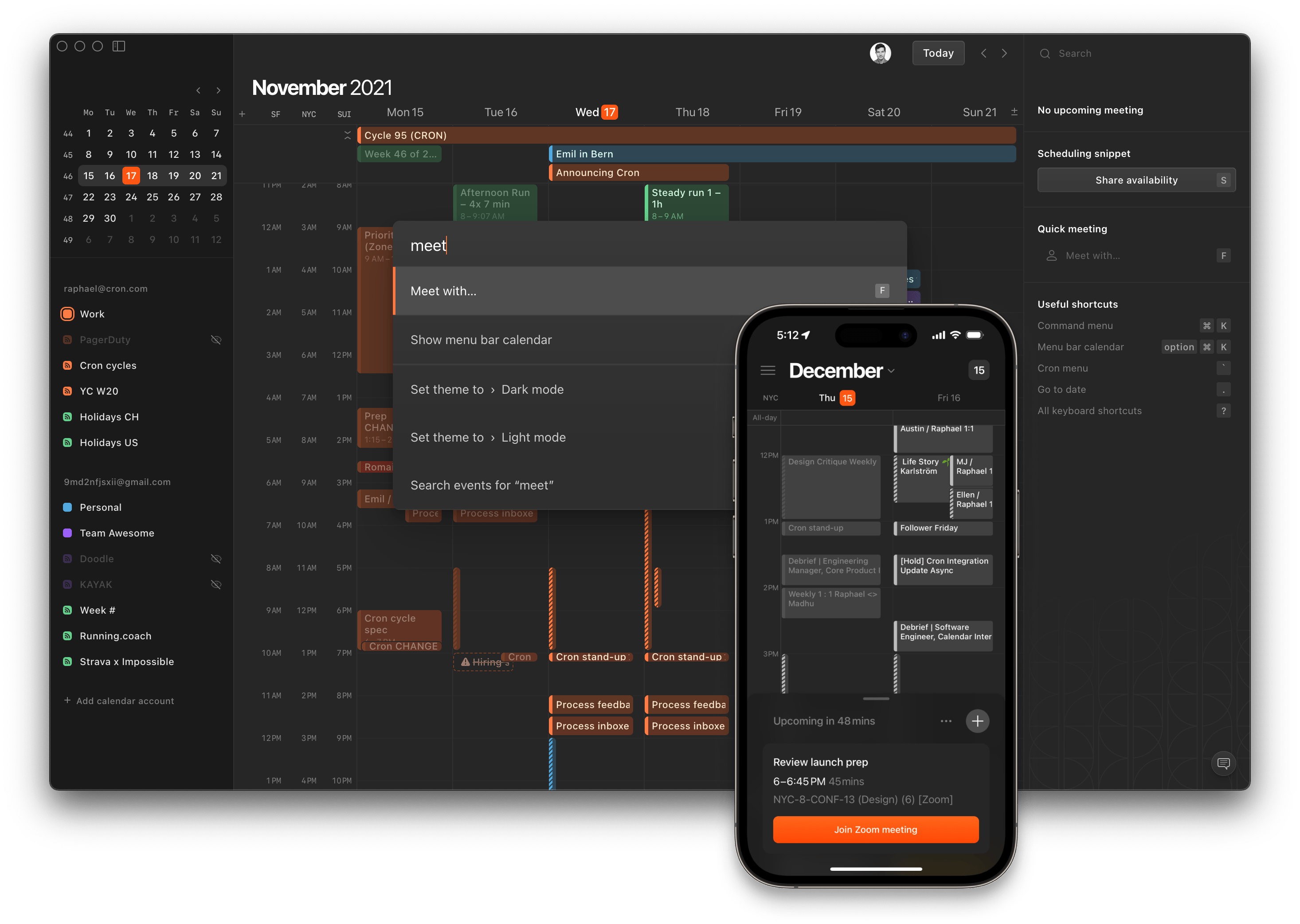
Cron Calendar- Revolutionary Time Management & Meeting Scheduling Tool
Time management has evolved, and Cron Calendar is leading the charge. This innovative scheduling tool is transforming how professionals handle their time, offering a sleek interface that combines powerful features with unmatched simplicity. Let’s explore why Cron Calendar is becoming the go-to choice for busy professionals who demand more from their scheduling tools.
The Revolution in Calendar Management
Traditional calendar apps often fall short in today’s fast-paced, globally connected world. Cron Calendar addresses these limitations head-on, providing a fresh approach to time management that prioritizes user experience and efficiency.
Why Cron Calendar Stands Out
- Lightning-fast interface
- Seamless time zone handling
- Multiple account management
- Dark mode for reduced eye strain
- Intuitive scheduling features
Core Features That Make a Difference
Time Zone Intelligence
Working across different time zones has never been easier:
- Automatic time zone conversion
- Visual time zone comparison
- Local time display options
- Schedule planning across regions
Multiple Account Integration
Manage your various roles effortlessly:
- Personal and professional calendar separation
- Unified view options
- Quick account switching
- Custom visibility settings
Explore our productivity solutions
User Interface Excellence
Clean and Efficient Design
The interface prioritizes:
- Minimal visual clutter
- Quick navigation
- Essential information at a glance
- Customizable views
Dark Mode Benefits
More than just aesthetics:
- Reduced eye strain
- Lower battery consumption
- Enhanced visibility
- Professional appearance
Advanced Scheduling Capabilities
Smart Meeting Planning
Take control of your schedule:
- One-click meeting creation
- Intelligent time suggestions
- Conflict detection
- Buffer time management
Calendar Views and Navigation
Multiple ways to visualize your time:
- Daily overview
- Weekly planning
- Monthly perspective
- Custom view options
Learn about our scheduling features
Professional Integration Features
Workspace Connectivity
Seamless integration with:
- Email platforms
- Video conferencing tools
- Project management software
- Team collaboration apps
Automation Capabilities
Streamline your workflow:
- Recurring meeting setup
- Auto-response options
- Smart notifications
- Calendar rules
Team Collaboration Tools
Shared Calendar Management
Enhance team coordination:
- Group calendar viewing
- Permission settings
- Resource scheduling
- Availability sharing
Meeting Coordination
Simplify group scheduling:
- Participant availability check
- Room booking
- Equipment reservation
- Attendance tracking
Productivity Enhancement Features
Time Blocking
Optimize your day with:
- Focus time blocks
- Break scheduling
- Priority management
- Custom block templates
Task Integration
Keep everything organized:
- To-do list integration
- Deadline tracking
- Progress monitoring
- Priority assignment
Security and Privacy
Data Protection
Your information stays safe with:
- End-to-end encryption
- Secure authentication
- Privacy controls
- Regular backups
Access Management
Control who sees what:
- Custom sharing permissions
- Guest access options
- Visibility settings
- Audit capabilities
Mobile and Cross-Platform Access
Device Compatibility
Stay connected across:
- Desktop applications
- Mobile devices
- Web browsers
- Tablet optimization
Synchronization Features
Never miss an update:
- Real-time syncing
- Offline access
- Change history
- Conflict resolution
Common Questions About Cron Calendar
Is Cron Calendar free? Cron Calendar offers early access through cron.com, with pricing details available upon registration.
Can I import my existing calendars? Yes, Cron Calendar supports importing from major calendar platforms.
Does it work offline? Yes, with offline access and synchronization when connected.
How does time zone conversion work? Automatic time zone conversion happens seamlessly in the background.
Maximizing Your Cron Calendar Experience
Getting Started
- Sign up for early access
- Import existing calendars
- Set up preferences
- Customize your view
- Connect additional accounts
Best Practices
- Use time blocking effectively
- Set up recurring meetings
- Utilize dark mode when appropriate
- Regular calendar review
Transform Your Time Management Today
Ready to experience the future of calendar management? Cron Calendar offers the tools you need to take control of your time and boost productivity like never before.
