
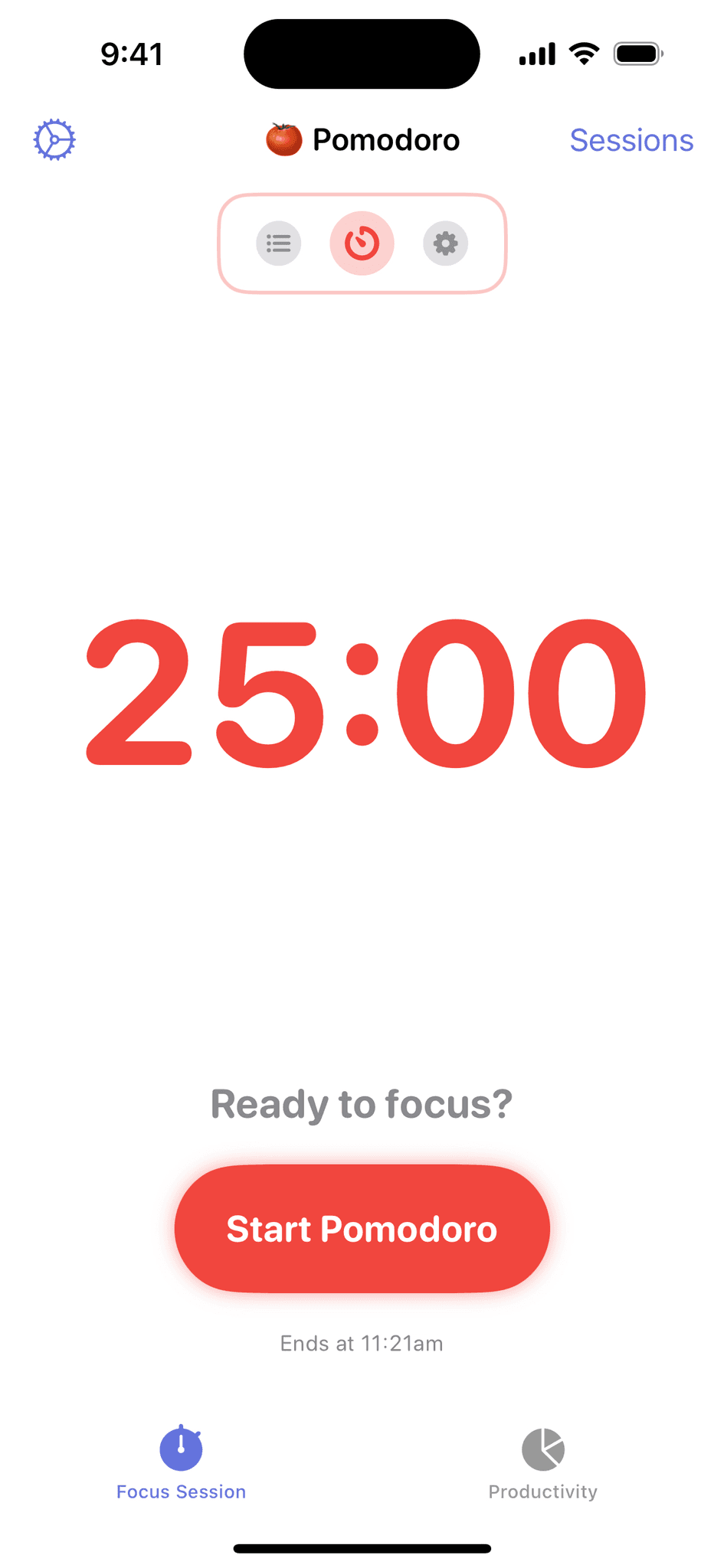
What is Focused Work - Focus Timer? Your Tool for Enhanced Productivity
In an age where distractions are just a click away, maintaining focus and productivity can be a daunting challenge. Enter Focused Work - Focus Timer, a flexible tool designed to help individuals stay productive while avoiding burnout. This innovative timer is purpose-built for those who struggle with focusing and effectively structuring their time. Whether you’re a student, a professional, or a creative, Focused Work can transform the way you approach your tasks and enhance your overall productivity.
Understanding Focused Work
Focused Work is more than just a timer; it’s a comprehensive productivity system that encourages users to adopt effective work habits. By breaking tasks into manageable intervals, it helps users maintain concentration and avoid the pitfalls of multitasking. The concept of focused work is rooted in the Pomodoro Technique, which emphasizes working in short bursts followed by breaks to maximize efficiency and minimize fatigue.
The Importance of Focus in Today’s World
In our fast-paced, technology-driven society, the ability to focus has become increasingly rare. Here are some reasons why cultivating focus is essential:
- Increased Productivity: Focused work allows individuals to complete tasks more efficiently, leading to higher output in less time.
- Enhanced Quality of Work: When you concentrate on a single task, the quality of your work improves, resulting in better outcomes.
- Reduced Stress: By managing your time effectively and avoiding distractions, you can reduce stress and prevent burnout.
- Improved Time Management: Focusing on one task at a time helps you allocate your time more effectively, ensuring that you meet deadlines and achieve your goals.
Key Features of Focused Work - Focus Timer
Focused Work - Focus Timer offers a variety of features designed to enhance your productivity and help you manage your time effectively. Here are some of the key features that set it apart:
Customizable Time Intervals
One of the standout features of Focused Work is its customizable time intervals. Users can set their preferred work and break durations, allowing them to tailor the timer to their unique working style. Whether you prefer 25-minute work sessions with 5-minute breaks or longer intervals, Focused Work adapts to your needs.
Task Management
Focused Work includes a built-in task management system that allows users to create, organize, and prioritize tasks. This feature helps you stay focused on what needs to be done, reducing the likelihood of distractions and ensuring that you complete your most important tasks first.
Progress Tracking
The app provides users with insights into their productivity patterns through progress tracking. By analyzing your work sessions and breaks, you can identify trends in your focus and productivity, helping you make informed decisions about how to structure your time.
Distraction Blocking
To further enhance focus, Focused Work offers distraction-blocking features. Users can set the app to limit notifications and block distracting websites during work sessions, creating a conducive environment for concentration.
User-Friendly Interface
The intuitive design of Focused Work makes it easy to navigate and use. With a clean layout and straightforward controls, users can quickly start their work sessions without any hassle.
How to Get Started with Focused Work - Focus Timer
Getting started with Focused Work is simple and straightforward. Here’s a step-by-step guide to help you set up the app and begin maximizing your productivity:
Step 1: Download and Install
Visit the Focused Work websiteor your device’s app store to download and install the Focused Work app. It’s available for various platforms, including desktop and mobile.
Step 2: Create an Account
Once installed, create an account to access all features. This will allow you to save your settings, track your progress, and sync your tasks across devices.
Step 3: Customize Your Settings
After setting up your account, customize your timer settings. Choose your preferred work and break intervals, and adjust any distraction-blocking features to suit your needs.
Step 4: Add Your Tasks
Use the task management feature to create a list of tasks you want to accomplish. Prioritize these tasks based on deadlines and importance, ensuring that you focus on what matters most.
Step 5: Start Your Work Session
Begin your first work session by selecting a task and starting the timer. Focus on the task at hand, and when the timer goes off, take a break to recharge.
Step 6: Review Your Progress
After completing your tasks for the day, take some time to review your progress. Analyze your productivity patterns and make adjustments to your workflow as needed.
Benefits of Using Focused Work - Focus Timer
Enhanced Concentration
By breaking work into manageable intervals, Focused Work helps users maintain concentration and avoid distractions. This structured approach allows for deeper focus and improved task completion rates.
Increased Productivity
With customizable time intervals and task management features, Focused Work enables users to work more efficiently. By focusing on one task at a time, you can accomplish more in less time.
Reduced Burnout
The built-in break system encourages users to take regular breaks, which is essential for preventing burnout. By allowing your mind to rest, you can return to your tasks with renewed energy and focus.
Better Time Management
Focused Work helps users allocate their time effectively by providing insights into productivity patterns. This allows for better planning and prioritization of tasks, ensuring that deadlines are met.
Real-World Applications of Focused Work
For Students
Students can benefit significantly from Focused Work by using it to manage their study sessions. By breaking study material into focused intervals, students can enhance their retention and understanding of complex subjects.
For Professionals
Professionals can use Focused Work to manage their workloads effectively. By prioritizing tasks and minimizing distractions, they can improve their productivity and achieve their goals more efficiently.
For Creatives
Creatives often face unique challenges when it comes to maintaining focus. Focused Work provides a structured approach that allows artists, writers, and designers to channel their creativity without succumbing to distractions.
Frequently Asked Questions
Q: Is Focused Work suitable for all types of users?
A: Yes, Focused Work is designed for anyone looking to improve their focus and productivity, including students, professionals, and creatives.
Q: Can I customize the timer settings?
A: Absolutely! Focused Work allows users to customize their work and break intervals to suit their individual preferences.
Q: Does Focused Work track my progress?
A: Yes, the app provides progress tracking features that allow users to analyze their productivity patterns over time.
Q: Is there a mobile version of Focused Work?
A: Yes, Focused Work is available on multiple platforms, including mobile devices, making it easy to stay productive on the go.
Start Your Journey to Enhanced Productivity with Focused Work
Are you ready to take control of your time and boost your productivity? Focused Work - Focus Timer is here to help you stay focused, avoid burnout, and achieve your goals. Don’t let distractions hold you back; start using Focused Work today to transform your work habits!
