
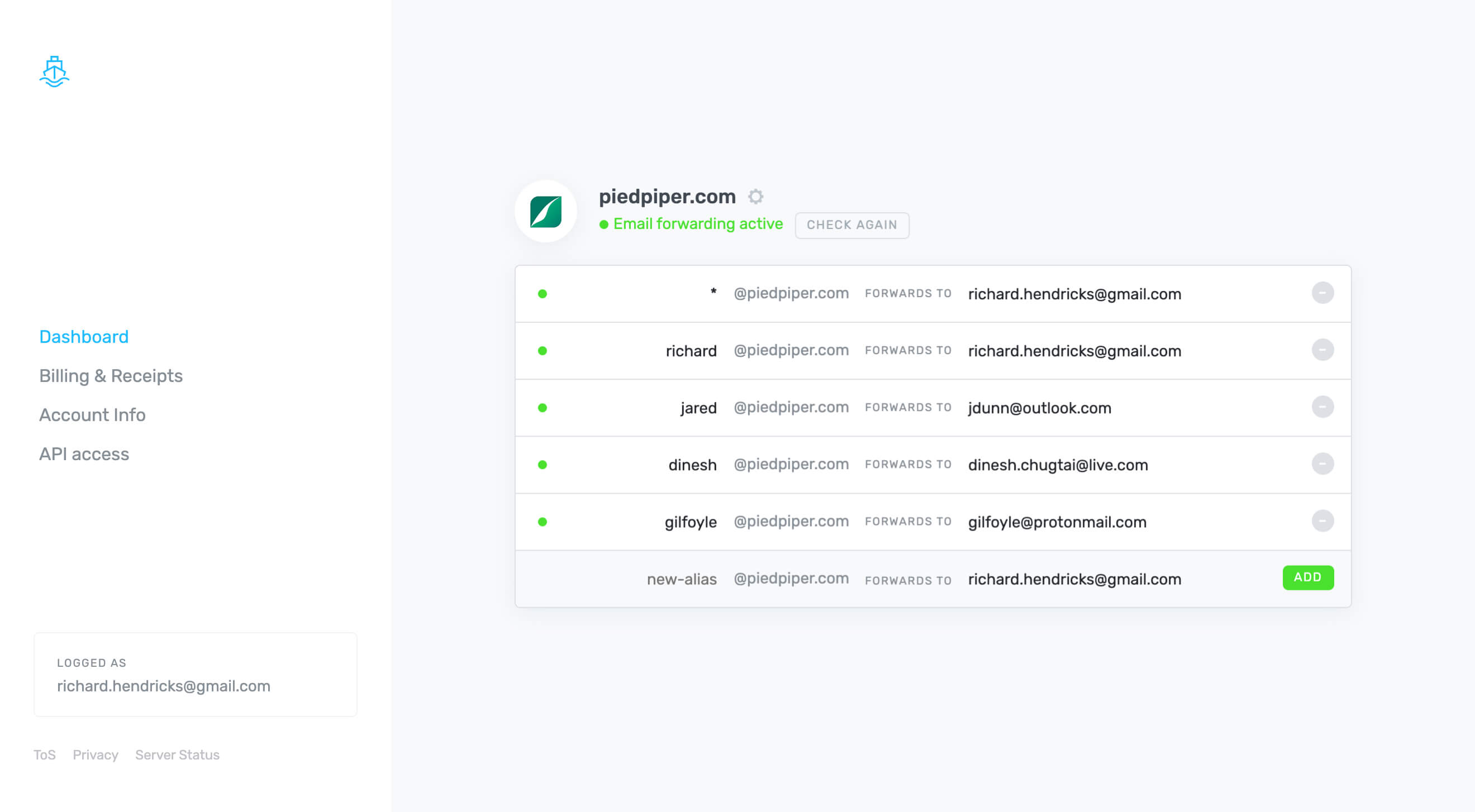
What is ImprovMX? Effortless Email Forwarding for Your Domain
In the digital age, having a professional email address associated with your domain name is essential for establishing credibility and enhancing communication. However, setting up email services can often be complicated and costly. Enter ImprovMX, a powerful yet simple solution that allows you to set up email forwarding in seconds, enabling you to send and receive emails using your domain name—absolutely free. With no registration required and 24/7 support, ImprovMX is revolutionizing the way individuals and businesses manage their email communications. In this article, we’ll explore what ImprovMX is, how it works, and why it’s the ideal choice for anyone looking to streamline their email forwarding process.
The Importance of Professional Email Addresses
A professional email address is more than just a means of communication; it’s a reflection of your brand and professionalism. Here are some reasons why having a custom email address is crucial:
Credibility: Emails sent from a custom domain (e.g., yourname@yourdomain.com) appear more trustworthy than generic addresses (e.g., yourname@gmail.com). This credibility can significantly impact how recipients perceive your business.
Branding: A custom email address reinforces your brand identity. It helps create a cohesive image across all your communications, making your brand more recognizable.
Control: Using your domain for email gives you greater control over your communications. You can create multiple email addresses for different purposes (e.g., support@yourdomain.com, info@yourdomain.com) and manage them easily.
Professionalism: A custom email address conveys professionalism, which is especially important for businesses and freelancers looking to establish a strong presence in their industry.
Despite these benefits, many individuals and small businesses hesitate to set up custom email addresses due to the perceived complexity and cost. This is where ImprovMX comes in.
What is ImprovMX?
ImprovMX is a free email forwarding service that allows users to set up email forwarding for their custom domain in just a few seconds. With ImprovMX, you can easily receive and send emails using your domain name without the need for complicated configurations or expensive email hosting services. Here are some key features that make ImprovMX stand out:
1. Instant Setup
Setting up email forwarding with ImprovMX is incredibly straightforward. Users can configure their domain to forward emails to their existing email accounts (such as Gmail, Yahoo, or Outlook) in just a few clicks. This instant setup means you can start using your custom email address almost immediately.
2. No Registration Required
One of the most appealing aspects of ImprovMX is that it doesn’t require users to register for an account. You can set up email forwarding without providing personal information, making the process quick and hassle-free.
3. Free Service
ImprovMX offers its email forwarding service completely free of charge. This makes it an ideal solution for individuals, freelancers, and small businesses looking to establish a professional email presence without incurring additional costs.
4. 24/7 Support
ImprovMX provides round-the-clock support to assist users with any questions or issues they may encounter. Whether you need help with setup or troubleshooting, the support team is available to ensure a smooth experience.
5. Custom Domain Support
ImprovMX allows you to use your own domain name for email forwarding. This means you can create a professional email address that aligns with your brand, enhancing your credibility and professionalism.
How ImprovMX Works
Using ImprovMX is a straightforward process. Here’s a step-by-step guide on how to set up email forwarding with ImprovMX:
Step 1: Configure Your Domain
To get started, you’ll need to configure your domain’s DNS settings. This involves adding MX (Mail Exchange) records to your domain’s DNS configuration. ImprovMX provides clear instructions on how to do this, making it easy for users of all technical levels to follow.
Step 2: Set Up Forwarding Addresses
Once your domain is configured, you can set up forwarding addresses. This involves specifying which email addresses you want to create (e.g., info@yourdomain.com) and where you want those emails to be forwarded (e.g., your personal Gmail account).
Step 3: Test Your Setup
After setting up your forwarding addresses, it’s important to test the configuration. Send a test email to your new custom email address to ensure that it forwards correctly to your designated email account.
Step 4: Start Sending Emails
With everything set up, you can start sending and receiving emails using your custom domain. You can also reply to emails from your custom address, enhancing your professional image.
Benefits of Using ImprovMX
ImprovMX offers several advantages that make it an attractive option for email forwarding:
1. Cost-Effective Solution
With ImprovMX, you can enjoy the benefits of a professional email address without the costs associated with traditional email hosting services. This is particularly beneficial for startups and freelancers operating on a tight budget.
2. User-Friendly Interface
ImprovMX’s interface is designed to be intuitive and user-friendly. Even those with limited technical knowledge can easily navigate the setup process and manage their email forwarding settings.
3. Flexibility and Control
ImprovMX allows you to create multiple forwarding addresses, giving you flexibility in how you manage your communications. You can easily add or remove forwarding addresses as your needs change.
4. Enhanced Privacy
By using ImprovMX, you can keep your personal email address private while still maintaining a professional appearance. This is especially important for freelancers and small business owners who want to separate their personal and professional communications.
Use Cases for ImprovMX
ImprovMX is suitable for a variety of users, including:
- Freelancers: Establish a professional email presence without the costs associated with traditional email hosting.
- Small Businesses: Create custom email addresses for different departments (e.g., sales, support) to enhance communication and branding.
- Bloggers and Content Creators: Use a custom email address to communicate with brands, sponsors, and followers, reinforcing your professional image.
- Nonprofits: Set up email forwarding for your organization’s domain to facilitate communication with donors and volunteers.
No matter your role, ImprovMX provides a simple and effective solution for managing your email communications.
FAQs About ImprovMX
1. Is ImprovMX really free?
Yes, ImprovMX offers its email forwarding service completely free of charge, making it an accessible option for anyone looking to set up a professional email address.
2. Do I need to register to use ImprovMX?
No, ImprovMX does not require users to register for an account. You can set up email forwarding without providing personal information.
3. Can I use my existing domain with ImprovMX?
Yes, ImprovMX allows you to use your own domain name for email forwarding, enabling you to create a professional email address.
4. What kind of support does ImprovMX offer?
ImprovMX provides 24/7 support to assist users with any questions or issues they may encounter during the setup process or while using the service.
Conclusion: Simplify Your Email Management with ImprovMX
In a world where professional communication is essential, having a custom email address can significantly enhance your credibility and branding. ImprovMX offers a simple, cost-effective solution for setting up email forwarding, allowing you to send and receive emails using your domain name in just a few seconds. With no registration required and 24/7 support, ImprovMX is the ideal choice for individuals and businesses looking to streamline their email management. If you’re ready to take control of your email communications, give ImprovMX a try and experience the difference for yourself.
