
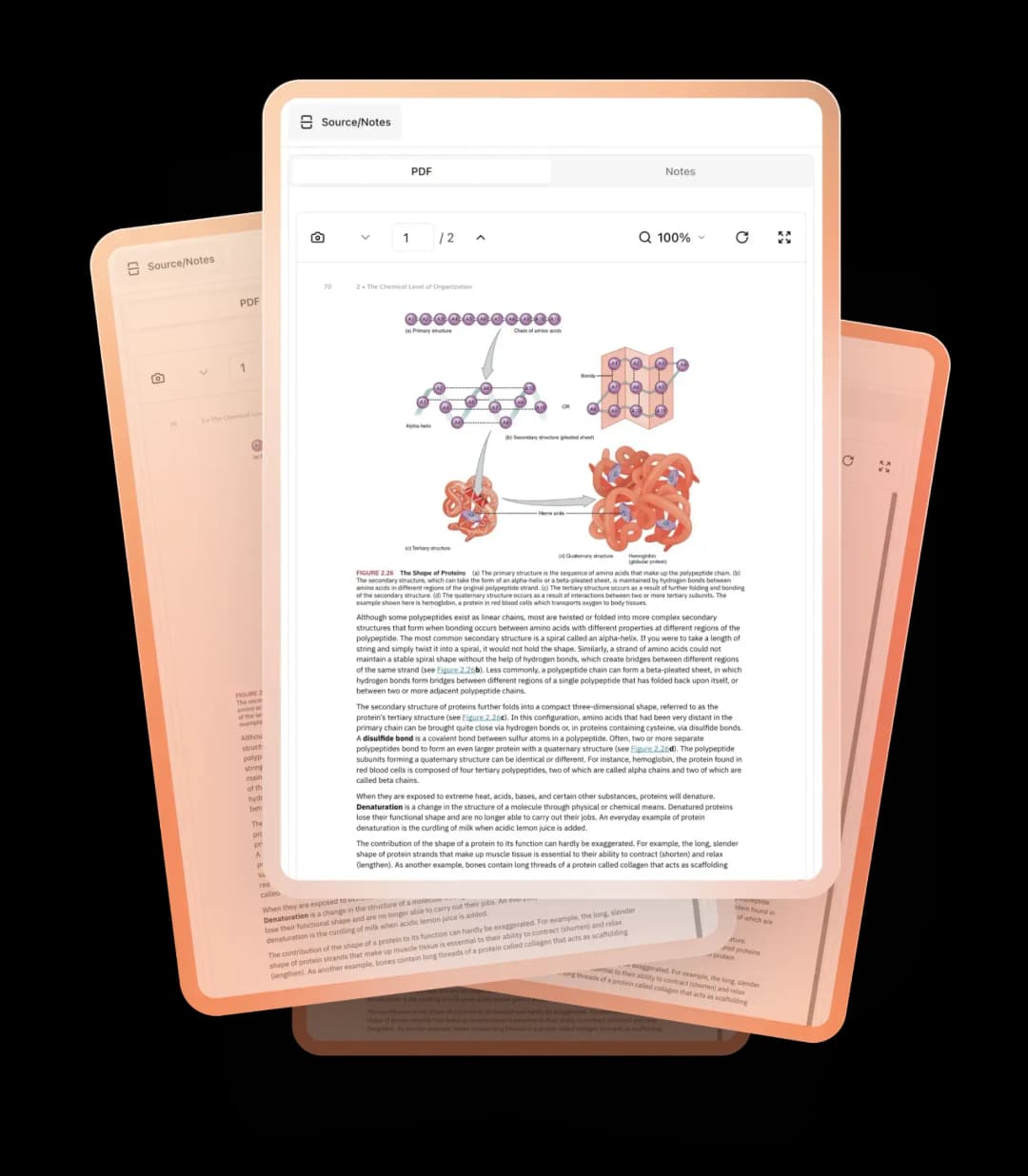
Discover PDF2Anki- Convert PDFs to Anki Flashcards Effortlessly
In the fast-paced world of education and self-learning, efficiency is key. PDF2Anki emerges as a game-changing tool designed to streamline the process of converting PDF files into Anki flashcards. By automating the transformation of notes into flashcards, PDF2Anki significantly reduces the time and effort typically required for manual input. This article explores the features, benefits, and practical applications of PDF2Anki, demonstrating how it can enhance your study routine and improve retention.
The Importance of Flashcards in Learning
Flashcards have long been recognized as an effective study tool, particularly for memorization and retention. They leverage the principles of spaced repetition, allowing learners to review material at optimal intervals. However, creating flashcards manually can be a tedious and time-consuming process, especially when dealing with extensive notes or textbooks. This is where PDF2Anki comes into play, offering a solution that simplifies and accelerates the flashcard creation process.
Why Use Flashcards?
Flashcards provide several advantages for learners, including:
- Active Recall: Engaging with flashcards promotes active recall, a technique proven to enhance memory retention.
- Spaced Repetition: Flashcards can be scheduled for review at increasing intervals, reinforcing learning over time.
- Customizability: Users can tailor flashcards to their specific needs, focusing on key concepts and details.
Despite these benefits, the manual creation of flashcards can be a barrier for many learners. PDF2Anki addresses this challenge by automating the conversion process.
Key Features of PDF2Anki
PDF2Anki is designed with user-friendliness and efficiency in mind. Here’s a closer look at its key features:
Automatic Conversion
The standout feature of PDF2Anki is its ability to automatically convert PDF files into Anki-compatible formats, specifically .txt and .apkg files. This automation eliminates the need for manual data entry, allowing users to focus on studying rather than formatting.
- Time-Saving: By automating the conversion process, PDF2Anki saves users countless hours that would otherwise be spent creating flashcards.
- Accuracy: The tool minimizes the risk of human error that can occur during manual input, ensuring that the information is accurately transferred.
User-Friendly Interface
PDF2Anki boasts a simple and intuitive interface that makes it accessible to users of all skill levels. Key aspects include:
- Easy Navigation: The layout is designed for ease of use, allowing users to quickly upload their PDF files and initiate the conversion process.
- Clear Instructions: Step-by-step guidance helps users navigate the tool without confusion, making it suitable for both beginners and experienced users.
Customizable Flashcards
While PDF2Anki automates the conversion process, it also allows for customization of the resulting flashcards. Users can:
- Edit Content: After conversion, users can modify the text on their flashcards to better suit their learning preferences.
- Add Images: Enhance flashcards by including relevant images, making them more engaging and effective for visual learners.
Batch Processing
For users with multiple PDF files, PDF2Anki offers batch processing capabilities. This feature allows users to convert several documents at once, further streamlining the workflow.
- Efficiency: Batch processing saves time and effort, making it ideal for students or professionals who need to convert large volumes of material.
Compatibility with Anki
PDF2Anki is specifically designed to create files that are compatible with Anki, one of the most popular flashcard applications available. This compatibility ensures that users can easily import their newly created flashcards into Anki without any additional formatting.
Benefits of Using PDF2Anki
The advantages of using PDF2Anki extend beyond its features. Here are some key benefits that make it a valuable tool for learners:
Enhanced Learning Efficiency
By automating the flashcard creation process, PDF2Anki allows users to spend more time studying and less time on administrative tasks. This increased efficiency can lead to better learning outcomes.
Improved Retention
With the ability to create flashcards quickly and easily, users can engage in active recall and spaced repetition more effectively. This approach enhances retention and helps learners internalize information.
Greater Accessibility
PDF2Anki makes it easier for users to convert their notes and study materials into flashcards, regardless of their technical skills. This accessibility empowers a wider audience to leverage the benefits of flashcards in their learning.
Flexibility in Learning
The ability to customize flashcards after conversion allows users to tailor their study materials to their specific needs. This flexibility can lead to a more personalized and effective learning experience.
How to Get Started with PDF2Anki
Getting started with PDF2Anki is a straightforward process. Follow these steps to begin transforming your PDF files into Anki flashcards:
Visit the PDF2Anki Website: Go to the PDF2Anki websiteand create an account if necessary. The platform may offer both free and premium options.
Upload Your PDF Files: Select the PDF files you wish to convert. PDF2Anki supports various PDF formats, making it easy to upload your study materials.
Initiate the Conversion: Click the convert button to start the process. PDF2Anki will automatically generate the corresponding
.txtand.apkgfiles.Review and Customize: Once the conversion is complete, review the flashcards and make any necessary edits. Add images or modify text to enhance your study materials.
Import into Anki: Finally, import the generated
.apkgfile into Anki. Your flashcards are now ready for use!
Frequently Asked Questions
Is PDF2Anki free to use?
PDF2Anki offers a free tier with essential features. There may also be premium plans available that provide additional functionalities for advanced users.
Can I use PDF2Anki on mobile devices?
PDF2Anki is primarily a web-based tool, but you can access it from mobile devices with a compatible browser. However, the user experience may be optimized for desktop use.
How does PDF2Anki compare to other flashcard creation tools?
PDF2Anki stands out due to its automation capabilities, specifically designed for converting PDF files into Anki flashcards. While other tools may require manual input, PDF2Anki streamlines the process significantly.
Can I customize my flashcards after conversion?
Yes, PDF2Anki allows users to edit the content of their flashcards after conversion, enabling customization to fit individual learning preferences.
Is my data secure with PDF2Anki?
PDF2Anki takes user privacy and data security seriously. Your uploaded documents are processed securely, and you can manage your account settings to control your data.
Transform Your Study Routine with PDF2Anki
In a world where efficiency is paramount, PDF2Anki offers a unique solution for learners looking to streamline their study processes. By automating the conversion of PDF files into Anki flashcards, PDF2Anki empowers users to focus on what truly matters: learning and retention.
