
What is SavvyCal? The Smarter Way to Schedule Meetings
What is SavvyCal?
Scheduling meetings shouldn’t feel like a chore. Yet, most scheduling tools put the burden on the recipient, forcing them to navigate rigid time slots and impersonal booking links. SavvyCal changes the game by making scheduling effortless and enjoyable for both parties. With its intuitive interface, advanced features, and personalized scheduling experience, SavvyCal empowers you to take control of your calendar while making it easy for others to find the best time to meet.
Whether you’re a busy professional, a freelancer, or part of a team, SavvyCal is designed to simplify the scheduling process. It’s not just another scheduling tool—it’s a smarter, more human way to manage your time. Let’s explore how SavvyCal works, its key features, and why it’s the ultimate solution for modern scheduling.
Why Traditional Scheduling Tools Fall Short
Before diving into SavvyCal’s features, it’s important to understand the common frustrations with traditional scheduling tools. While these tools aim to simplify the process, they often create new challenges, such as:
- Rigid Time Slots: Recipients are forced to choose from a predefined list of time slots, which may not align with their availability.
- Impersonal Experience: Generic booking links can feel cold and transactional, lacking the personal touch.
- Lack of Flexibility: Many tools don’t allow for easy adjustments or preferences, leading to back-and-forth emails.
- Calendar Overload: Without proper controls, scheduling tools can lead to overbooked calendars and burnout.
SavvyCal addresses these pain points by prioritizing flexibility, personalization, and user control.
Key Features of SavvyCal
SavvyCal is packed with features designed to make scheduling simple, efficient, and enjoyable. Here’s a closer look at what sets it apart:
1. Recipient-First Scheduling
SavvyCal flips the script by putting the recipient first. Instead of forcing them to navigate rigid time slots, SavvyCal allows them to overlay their calendar with yours. This makes it easy to find mutually convenient times without the guesswork. Key benefits include:
- Calendar Overlay: Recipients can see their availability alongside yours, ensuring a seamless scheduling experience.
- Ranked Availability: Highlight your preferred time slots while still offering flexibility for the recipient.
This recipient-first approach makes scheduling feel collaborative rather than one-sided.
2. Personalized Scheduling Links
Generic booking links are a thing of the past. With SavvyCal, you can create personalized scheduling links that reflect your brand and add a human touch. Features include:
- Custom Branding: Add your logo, colors, and custom URL to create a professional and cohesive experience.
- Personalized Messages: Include a friendly note or instructions to make the process more engaging.
These small details go a long way in creating a positive impression.
3. Advanced Calendar Controls
SavvyCal gives you complete control over your calendar, ensuring that your schedule works for you. Features include:
- Time Blocking: Protect your focus time by setting limits on when meetings can be scheduled.
- Buffer Times: Add buffer periods before and after meetings to avoid back-to-back appointments.
- Meeting Limits: Set daily or weekly limits to prevent overbooking and maintain a healthy work-life balance.
These controls help you stay productive and avoid burnout.
4. Multi-Calendar Support
If you manage multiple calendars, SavvyCal has you covered. The platform allows you to:
- Connect Multiple Calendars: Sync calendars from Google, Outlook, and more.
- Avoid Conflicts: Automatically detect and prevent double bookings across all your calendars.
This ensures that your schedule stays organized, no matter how many calendars you use.
5. Collaborative Scheduling
SavvyCal makes it easy to schedule group meetings and collaborative sessions. Features include:
- Round-Robin Scheduling: Distribute meetings evenly across team members.
- Group Availability: Find the best time for multiple participants with ease.
These tools are perfect for teams and organizations looking to streamline their scheduling process.
6. Integration with Popular Tools
SavvyCal integrates seamlessly with the tools you already use, including:
- Zoom and Google Meet: Automatically generate meeting links for virtual calls.
- Slack: Receive notifications and updates about your schedule.
- Zapier: Connect SavvyCal with thousands of other apps to automate your workflow.
These integrations make it easy to incorporate SavvyCal into your existing workflow.
7. Scheduling for Sales and Marketing
For sales and marketing professionals, SavvyCal offers features tailored to client-facing roles, such as:
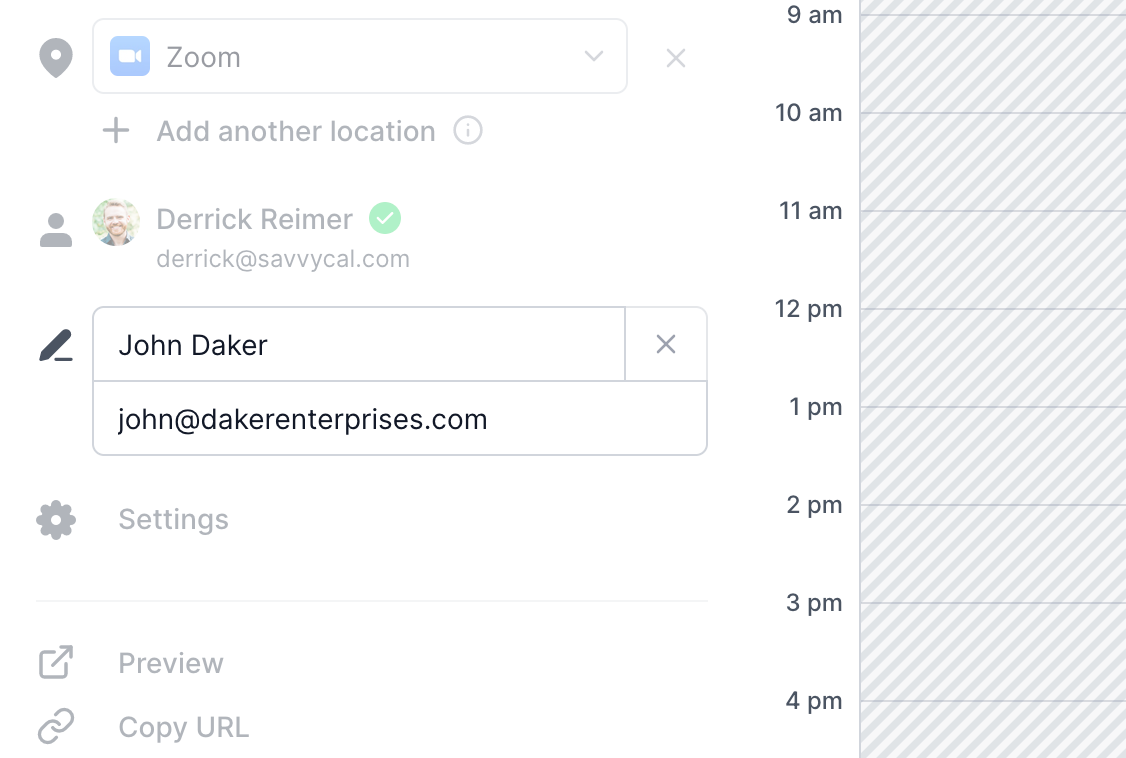
- Pre-Filled Recipient Information: Save time by pre-filling details like name and email for prospects.
- Priority Scheduling: Allow VIP clients to bypass restrictions and book meetings at their convenience.
These features help you create a seamless and professional experience for your clients.
How SavvyCal Works
Getting started with SavvyCal is quick and easy. Here’s a step-by-step guide:
Sign Up for SavvyCal: Visit the SavvyCal websiteand create an account. You can start with a free trial to explore the platform’s features.
Connect Your Calendar: Sync your Google, Outlook, or other calendars to SavvyCal.
Set Your Preferences: Define your availability, buffer times, and meeting limits to customize your schedule.
Create Scheduling Links: Generate personalized links for different types of meetings, such as one-on-ones, team calls, or client consultations.
Share and Schedule: Share your scheduling links with recipients and let SavvyCal handle the rest.
With SavvyCal, you’ll spend less time coordinating meetings and more time focusing on what matters.
Why Choose SavvyCal Over Other Tools?
While there are many scheduling tools available, SavvyCal stands out for several reasons:
- Recipient-First Design: SavvyCal prioritizes the recipient’s experience, making scheduling collaborative and stress-free.
- Advanced Features: From calendar controls to personalized links, SavvyCal offers features that go beyond basic scheduling.
- Ease of Use: The platform is intuitive and user-friendly, even for those new to scheduling tools.
- Flexibility: SavvyCal adapts to your unique needs, whether you’re an individual, a freelancer, or part of a team.
- Professional Touch: With custom branding and personalized messages, SavvyCal helps you make a great impression.
Whether you’re scheduling internal meetings, client calls, or sales demos, SavvyCal is the smarter choice.
Use Cases for SavvyCal
SavvyCal is a versatile tool that can be used in a variety of scenarios. Here are some examples:
- Freelancers: Simplify client scheduling with personalized links and calendar overlays.
- Sales Teams: Streamline the booking process for prospects and clients with pre-filled information and priority scheduling.
- Marketing Professionals: Coordinate meetings with partners, vendors, and stakeholders effortlessly.
- Remote Teams: Align schedules across time zones and avoid conflicts with multi-calendar support.
Frequently Asked Questions
Is SavvyCal free to use?
SavvyCal offers a free trial, allowing you to explore its features. For full access, you can choose from a variety of affordable pricing plans.
Can I use SavvyCal with multiple calendars?
Yes! SavvyCal supports multi-calendar integration, ensuring that your schedule stays organized across all platforms.
Does SavvyCal work for teams?
Absolutely! SavvyCal includes features like round-robin scheduling and group availability, making it ideal for teams.
How does SavvyCal prioritize recipient experience?
SavvyCal’s recipient-first design includes features like calendar overlays and personalized links, ensuring a seamless and collaborative scheduling process.
Does SavvyCal integrate with other tools?
Yes, SavvyCal integrates with popular tools like Zoom, Slack, and Zapier, making it easy to incorporate into your workflow.
Ready to Simplify Scheduling?
If you’re tired of the back-and-forth emails and rigid scheduling tools, it’s time to try SavvyCal. With its recipient-first design, advanced features, and personalized experience, SavvyCal makes scheduling effortless for everyone involved. Sign up today and take the first step toward smarter scheduling!
