
What is Trigger.dev? Simplify Background Jobs with Ease
In the world of modern software development, managing background jobs and asynchronous workflows can be a daunting task. Developers often face challenges like ensuring reliable queueing, handling retries, and maintaining visibility into job execution. This is where Trigger.dev steps in—a platform designed to simplify background job management while providing robust tools for observability and control.
Trigger.dev allows you to write background jobs using normal async code and offload them to its platform. It takes care of queueing, replaying, and canceling jobs for you, all while offering full observability of every run through its intuitive dashboard. Let’s explore how Trigger.dev works, its key features, and why it’s a game-changer for developers.
Why Background Jobs Are Essential in Modern Applications
Before diving into Trigger.dev, it’s important to understand the role of background jobs in software development. Background jobs are tasks that run asynchronously, outside the main application flow. They’re essential for handling time-consuming operations without blocking the user experience.
Some common use cases for background jobs include:
- Sending email notifications
- Processing large datasets
- Generating reports
- Integrating with third-party APIs
- Scheduling recurring tasks
While background jobs are powerful, managing them effectively requires a reliable system for queueing, monitoring, and error handling. This is where traditional solutions like message queues or task schedulers often fall short, especially when it comes to developer experience and observability.
How Trigger.dev Simplifies Background Job Management
Trigger.dev is a developer-first platform that reimagines how background jobs are written and managed. Unlike traditional tools that require complex configurations or custom infrastructure, Trigger.dev lets you use familiar async code to define your jobs. Here’s how it works:
Write Jobs in Async Code: With Trigger.dev, you can write background jobs using standard async/await syntax in your preferred programming language. This eliminates the need to learn new paradigms or frameworks.
Offload to Trigger.dev: Once your job is defined, you can offload it to Trigger.dev’s platform. The platform handles all the heavy lifting, including queueing, retries, and cancellations.
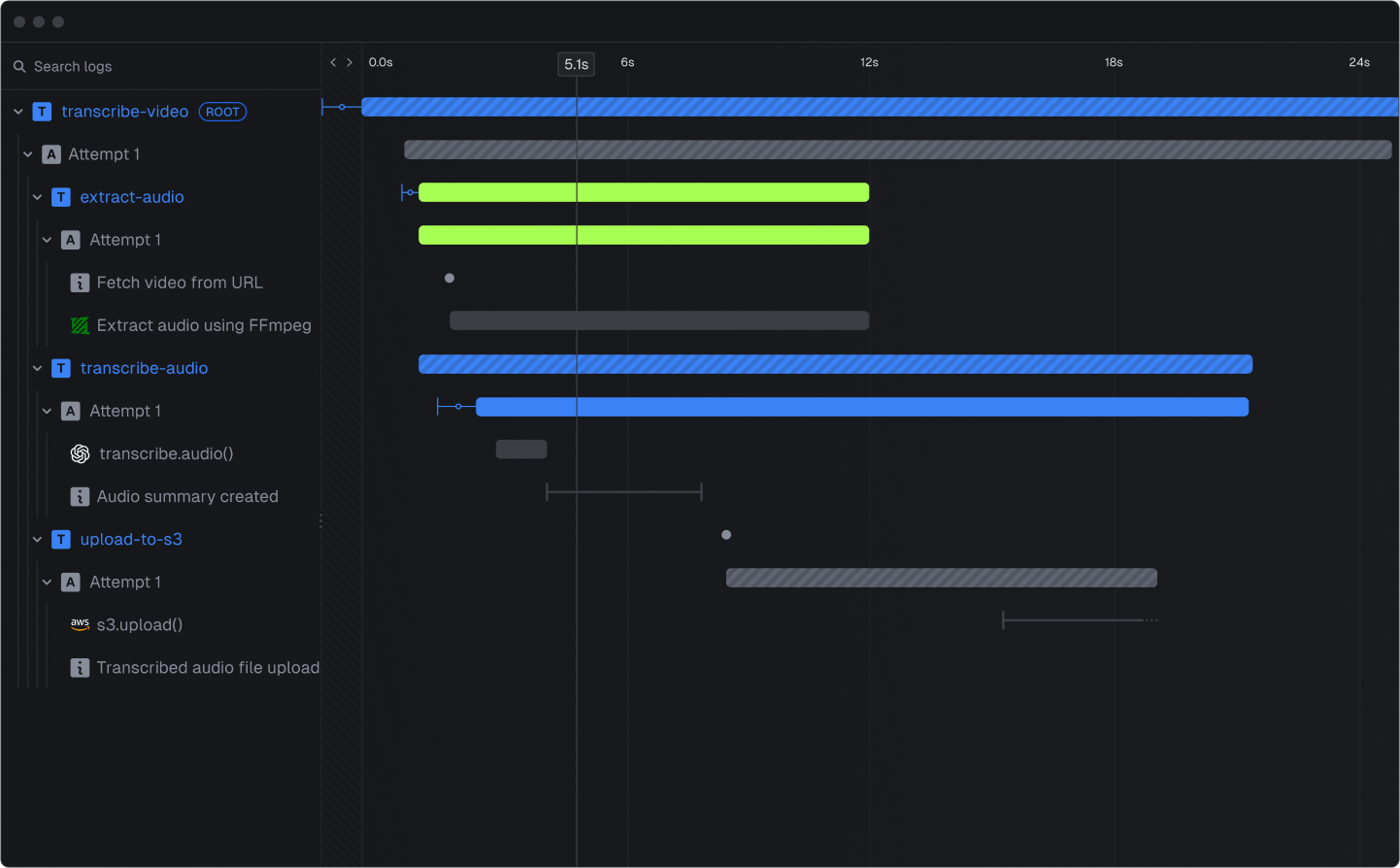
Full Observability: Every job run is tracked in the Trigger.dev dashboard, giving you complete visibility into its status, execution time, and any errors that occur.
Built-in Reliability: Trigger.dev ensures that your jobs are executed reliably, with automatic retries for failed tasks and support for idempotency to prevent duplicate processing.
Key Features of Trigger.dev
Trigger.dev offers a range of features that make it a standout choice for managing background jobs. Let’s take a closer look at some of its most notable capabilities:
1. Queueing and Scheduling
Trigger.dev provides a robust queueing system that ensures your jobs are executed in the correct order and at the right time. You can schedule jobs to run immediately, at a specific time, or on a recurring basis.
2. Replay and Cancel Jobs
One of the unique features of Trigger.dev is its ability to replay and cancel jobs. If a job fails or needs to be re-executed, you can replay it directly from the dashboard. Similarly, you can cancel jobs that are no longer needed, saving resources and preventing unnecessary processing.
3. Observability Dashboard
The Trigger.dev dashboard is a powerful tool for monitoring and debugging your background jobs. It provides detailed insights into each job run, including:
- Execution status (e.g., success, failure, in progress)
- Timestamps for start and end times
- Error messages and stack traces
- Job-specific metadata
This level of observability makes it easy to identify and resolve issues quickly.
4. Seamless Integration with Your Codebase
Trigger.dev is designed to integrate seamlessly with your existing codebase. You don’t need to rewrite your application logic or adopt a new framework. Simply define your jobs using async code, and Trigger.dev takes care of the rest.
5. Developer-Friendly API
Trigger.dev’s API is intuitive and well-documented, making it easy to get started. Whether you’re a seasoned developer or new to background job management, you’ll appreciate the simplicity and flexibility of the platform.
Use Cases for Trigger.dev
Trigger.dev is a versatile platform that can be used in a wide range of scenarios. Here are some examples of how developers are leveraging Trigger.dev to streamline their workflows:
- E-commerce: Automating order processing, inventory updates, and customer notifications.
- SaaS Applications: Handling user onboarding, subscription renewals, and data synchronization with third-party services.
- Data Processing: Running ETL (Extract, Transform, Load) pipelines, generating analytics reports, and processing large datasets.
- DevOps: Scheduling infrastructure tasks, such as backups, deployments, and monitoring alerts.
How to Get Started with Trigger.dev
Getting started with Trigger.dev is straightforward. Here’s a step-by-step guide to help you set up your first background job:
Sign Up for Trigger.dev: Create an account on the Trigger.dev websiteand log in to the dashboard.
Install the SDK: Add the Trigger.dev SDK to your project using your preferred package manager.
Define Your Job: Write your background job using async code and configure it to run on Trigger.dev.
Deploy and Monitor: Deploy your application and monitor your jobs in the Trigger.dev dashboard.
For detailed instructions and code examples, check out the Trigger.dev documentation.
Why Choose Trigger.dev Over Traditional Solutions?
While there are many tools available for managing background jobs, Trigger.dev stands out for its developer-first approach and focus on simplicity. Here are some reasons to choose Trigger.dev:
- Ease of Use: Write jobs using familiar async code without learning new paradigms.
- Reliability: Built-in support for retries, idempotency, and error handling.
- Observability: Gain full visibility into job execution with the Trigger.dev dashboard.
- Scalability: Handle jobs of any size or complexity with confidence.
Frequently Asked Questions
What programming languages does Trigger.dev support?
Trigger.dev supports any language that can run async code, making it a versatile choice for developers working in JavaScript, Python, and more.
Can I use Trigger.dev with my existing infrastructure?
Yes, Trigger.dev is designed to integrate seamlessly with your existing codebase and infrastructure. You don’t need to make significant changes to start using it.
Is Trigger.dev suitable for small projects?
Absolutely! Trigger.dev is scalable and can be used for projects of any size, from small applications to enterprise-level systems.
Ready to Simplify Your Background Jobs?
If you’re tired of wrestling with complex background job systems, it’s time to give Trigger.dev a try. With its developer-friendly approach, robust features, and powerful observability tools, Trigger.dev makes managing background jobs a breeze. Sign up today and see the difference for yourself!
