
What is Usetiful? Enhancing Digital Products with a Comprehensive Digital Adoption Platform
In today’s fast-paced digital landscape, ensuring that users can effectively navigate and utilize your product is crucial for success. Usetiful is a powerful Digital Adoption Platform (DAP) designed to enhance user experience through product tours, smart tips, and notifications. By providing users with the guidance they need to understand and engage with your product, Usetiful helps businesses improve user onboarding, increase product adoption, and ultimately drive customer satisfaction. In this article, we will explore the features, benefits, and best practices for leveraging Usetiful to enhance your digital product.
Understanding Usetiful: The Basics
Usetiful is a versatile Digital Adoption Platform that enables businesses to create interactive product tours and provide contextual guidance to users. By integrating Usetiful into your digital product, you can offer users a seamless onboarding experience, helping them understand how to use your product effectively. This platform is particularly beneficial for SaaS companies, mobile applications, and any digital product that requires user engagement and education.
Key Features of Usetiful
Usetiful offers a range of features that set it apart from other digital adoption tools:
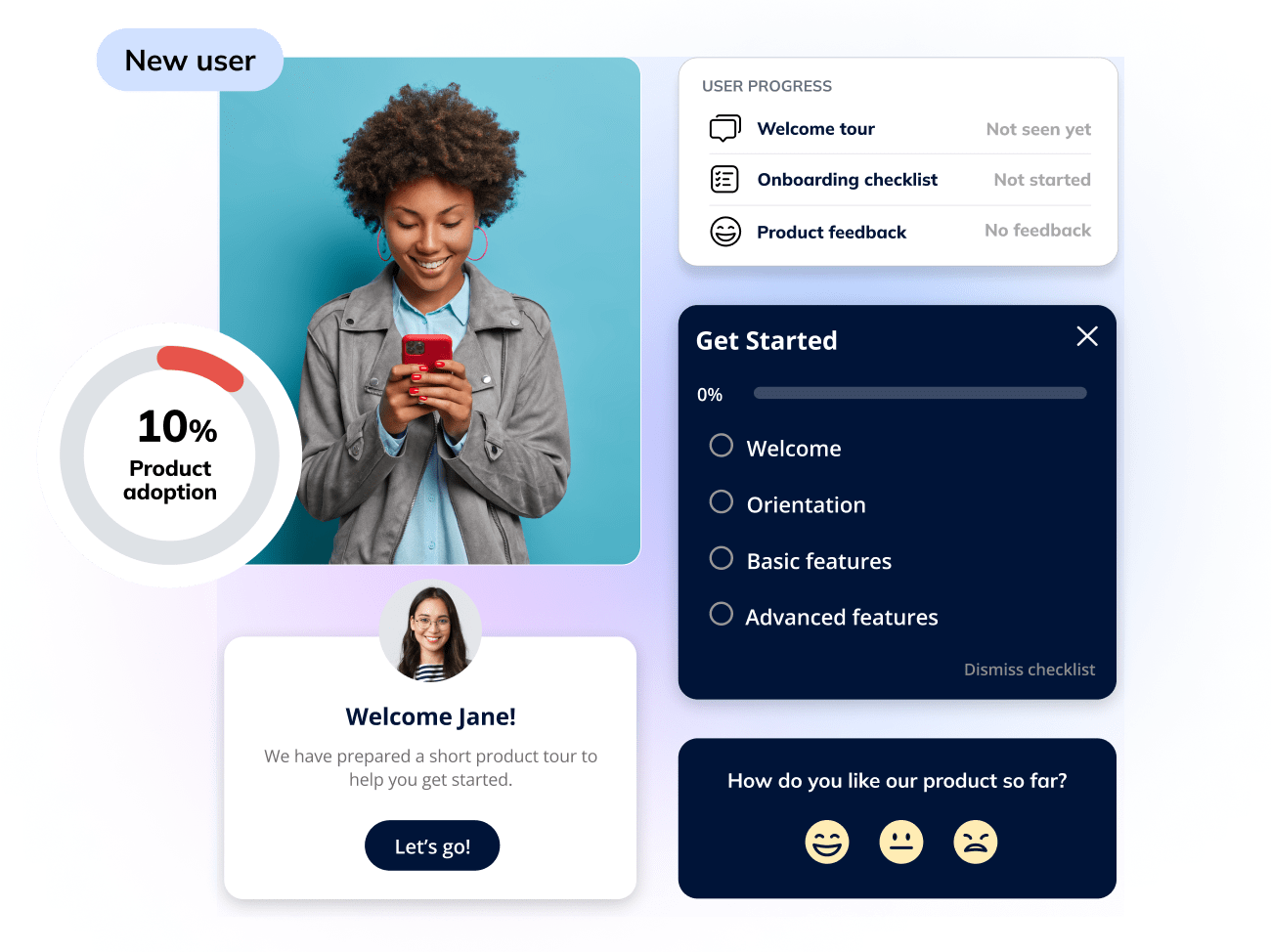
Product Tours: Usetiful allows you to create interactive product tours that guide users through key features and functionalities. These tours can be customized to match your brand’s identity and tailored to specific user segments.
Smart Tips: With Usetiful, you can provide users with smart tips that appear contextually as they navigate your product. These tips offer helpful information and guidance, ensuring that users have the support they need at every step of their journey.
Notifications: Usetiful enables you to send notifications to users, keeping them informed about important updates, new features, or tips for maximizing their experience. This proactive approach helps maintain user engagement and encourages exploration of your product.
Analytics and Insights: Usetiful provides robust analytics tools that track user engagement and interaction with your product tours and tips. This data allows you to gain valuable insights into user behavior, helping you refine your onboarding processes and improve overall user experience.
Seamless Integration: Usetiful integrates easily with popular platforms and tools, making it simple to incorporate into your existing workflows. This integration ensures that you can enhance your product without disrupting your current processes.
Why Use Usetiful for Your Digital Product?
Improve User Onboarding
Effective onboarding is critical for user retention and satisfaction. Usetiful’s product tours and smart tips help users understand how to navigate your product and utilize its features effectively. By providing clear guidance during the onboarding process, you can reduce the learning curve and enhance user confidence.
Increase Product Adoption
When users feel comfortable using your product, they are more likely to explore its features and functionalities. Usetiful’s contextual guidance encourages users to engage with your product more fully, leading to increased adoption rates. By helping users discover the value of your product, you can drive long-term engagement and loyalty.
Enhance User Experience
Usetiful’s interactive product tours and smart tips create a more engaging user experience. By providing users with the information they need at the right time, you can reduce frustration and confusion. This enhanced experience not only improves user satisfaction but also fosters positive word-of-mouth and referrals.
Drive Customer Success
By empowering users to make the most of your product, Usetiful contributes to overall customer success. When users can effectively navigate your product and utilize its features, they are more likely to achieve their goals and derive value from your offering. This success translates into higher retention rates and increased customer lifetime value.
How to Get Started with Usetiful
Getting started with Usetiful is straightforward. Here’s a step-by-step guide to help you begin enhancing your digital product:
Step 1: Sign Up for Usetiful
Begin by signing up for a Usetiful account. The platform offers various pricing plans, including a free trial, allowing you to explore its features before committing.
Step 2: Integrate Usetiful into Your Product
Once you’ve created an account, follow the integration instructions to incorporate Usetiful into your digital product. The platform provides easy-to-follow guidelines for integrating with popular tools and platforms.
Step 3: Create Your First Product Tour
With Usetiful, creating a product tour is a simple process. Use the intuitive interface to design your tour, selecting the key features and functionalities you want to highlight. Customize the tour to match your brand’s identity and ensure it resonates with your target audience.
Step 4: Add Smart Tips
As users navigate your product, consider adding smart tips that provide contextual guidance. These tips can help users understand specific features or offer suggestions for maximizing their experience. Tailor the tips to address common user questions or challenges.
Step 5: Monitor Engagement and Refine
After launching your product tours and smart tips, use Usetiful’s analytics tools to monitor user engagement. Track how users interact with your tours and tips, and gather feedback to identify areas for improvement. Continuously refining your onboarding processes will enhance user experience and drive better results.
Step 6: Iterate and Expand
As you gather insights from user engagement, consider expanding your use of Usetiful. Create additional product tours, smart tips, and notifications to address different user segments or feature updates. This iterative approach will help you maintain a dynamic and engaging user experience.
Best Practices for Using Usetiful
To maximize the effectiveness of Usetiful, consider the following best practices:
Know Your Audience
Understanding your audience is crucial for delivering effective product tours and tips. Research your users’ needs, pain points, and preferences to tailor your guidance accordingly. This knowledge will help you create a more relevant and engaging experience.
Keep It Simple
When designing product tours and smart tips, aim for simplicity. Avoid overwhelming users with too much information at once. Break down complex processes into manageable steps and provide clear, concise guidance.
Use Engaging Visuals
Incorporate engaging visuals into your product tours to enhance user experience. Use images, videos, and animations to illustrate key features and functionalities. Visual elements can help capture users’ attention and make the information more memorable.
Test and Iterate
Regularly test your product tours and smart tips to ensure they function correctly and provide value to users. Gather feedback from users to identify areas for improvement and make necessary adjustments. An iterative approach will help you continuously enhance the user experience.
Promote User Feedback
Encourage users to provide feedback on their experience with your product tours and tips. This feedback can offer valuable insights into what works well and what needs improvement. Use this information to refine your onboarding processes and enhance user satisfaction.
Case Studies: Successful Implementations of Usetiful
Case Study 1: SaaS Company
A SaaS company implemented Usetiful to enhance its user onboarding process. By creating interactive product tours and smart tips, the company was able to reduce the onboarding time by 50%. Users reported feeling more confident in using the software, leading to increased satisfaction and retention rates.
Case Study 2: E-commerce Platform
An e-commerce platform utilized Usetiful to guide users through its website and product features. The implementation of smart tips and notifications resulted in a 30% increase in user engagement and a notable rise in conversion rates. Customers appreciated the contextual guidance, which helped them navigate the platform more effectively.
Frequently Asked Questions
Q: Is Usetiful free to use? A: Usetiful offers a free trial, allowing you to explore its features before committing to a paid plan.
Q: Do I need technical skills to use Usetiful? A: No, Usetiful is designed for users without technical skills. Its user-friendly interface makes it easy to create product tours and smart tips.
Q: Can I track user engagement with my product tours? A: Yes, Usetiful provides robust analytics tools that allow you to track user engagement and performance metrics.
Q: Are Usetiful tours customizable? A: Absolutely! Usetiful offers a range of customizable templates that allow you to tailor your tours to specific industries and customer needs.
Looking Ahead: The Future of Digital Adoption
As the digital landscape continues to evolve, the demand for effective user onboarding and engagement solutions will only grow. Usetiful is at the forefront of this trend, providing businesses with the tools they need to enhance user experience and drive product adoption. By empowering users to navigate and utilize your product effectively, Usetiful contributes to overall customer success and satisfaction.
