
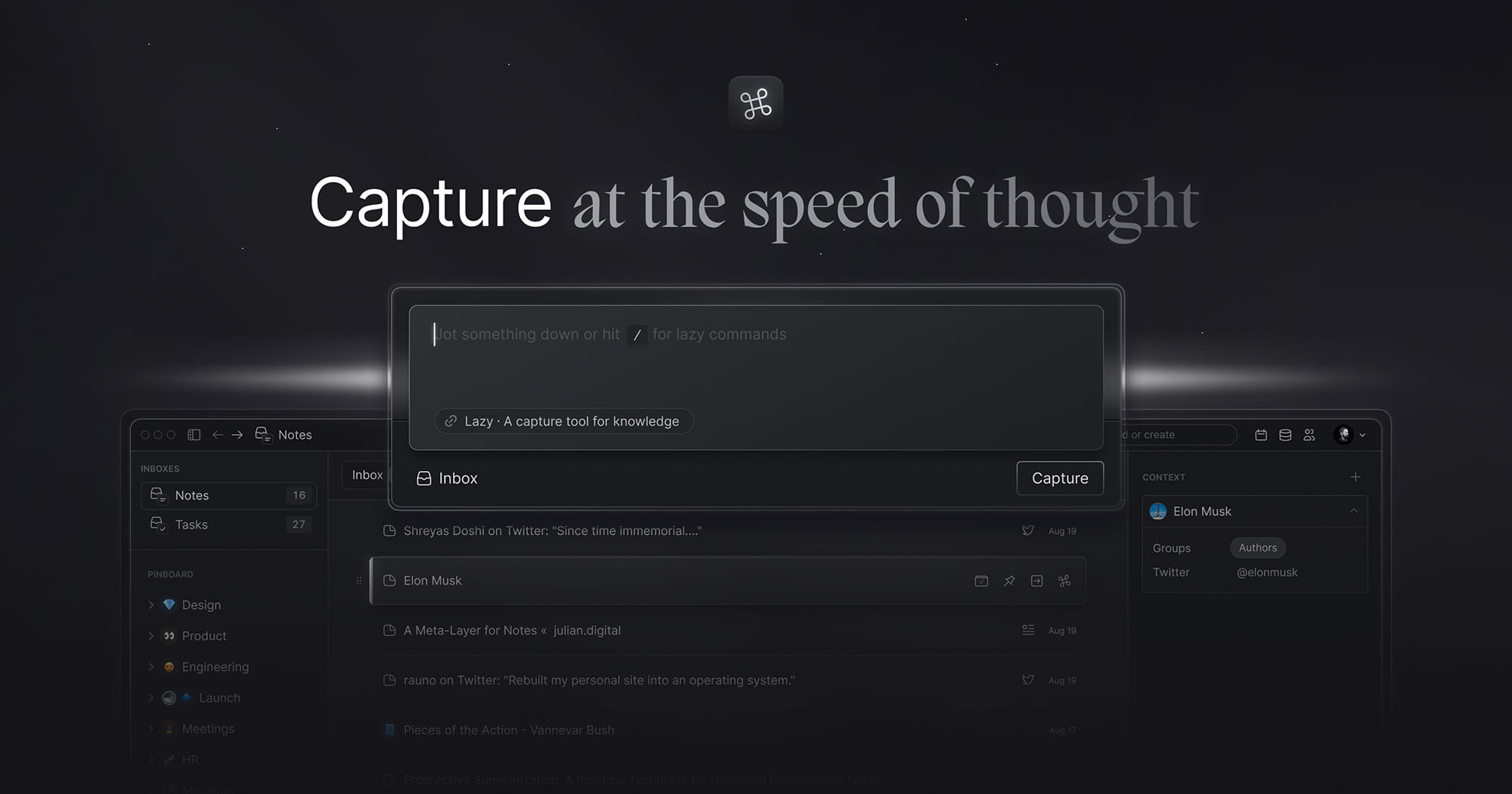
What is Lazy? Capture Ideas Effortlessly and Boost Your Productivity
In today’s fast-paced digital world, context switching can be a significant barrier to productivity. Every time you switch between apps or tabs, you lose focus and momentum, making it harder to capture those brilliant ideas that come to you throughout the day. Enter Lazy—a revolutionary tool designed to streamline your note-taking process and keep your creative flow uninterrupted. Let’s explore how Lazy can transform the way you capture and organize your thoughts.
The Problem with Context Switching
Context switching is often described as the “poison for productivity.” When you’re in the zone, whether brainstorming ideas or working on a project, the last thing you want is to disrupt your flow by switching between different applications. This constant toggling can lead to:
- Decreased Focus: Each switch requires mental effort, pulling you away from your current task.
- Lost Ideas: Brilliant thoughts can slip away if you don’t capture them immediately.
- Increased Stress: Juggling multiple apps can create a sense of chaos, making it harder to stay organized.
Why Lazy is the Solution
Lazy addresses these challenges head-on. With just one simple keyboard shortcut, you can capture notes from anywhere on your Mac without the need to switch apps or tabs. This seamless integration allows you to focus on what truly matters—your ideas.
Key Features of Lazy
One Shortcut to Capture Anywhere
Lazy’s standout feature is its ability to let you take notes from any application with a single ⌘ shortcut. Whether you’re browsing the web, reading an article, or working in a document, you can quickly jot down your thoughts without losing your place.
Smart Note Organization
Lazy doesn’t just capture your notes; it also helps you organize them effectively. You can categorize your notes, tag them for easy retrieval, and even search through your notes quickly. This organization ensures that your ideas are always at your fingertips when you need them.
Cross-Platform Compatibility
Lazy is designed to work seamlessly across different platforms. Whether you’re on your Mac, iPhone, or iPad, you can access your notes anytime, anywhere. This flexibility is crucial for today’s mobile workforce, allowing you to capture inspiration on the go.
How Lazy Enhances Your Productivity
Streamlined Workflow
By eliminating the need to switch between apps, Lazy allows you to maintain your workflow. You can capture ideas as they come, ensuring that nothing slips through the cracks. This streamlined process leads to:
- Improved Focus: Stay in the zone and keep your creative juices flowing.
- Faster Idea Capture: Quickly jot down thoughts without interrupting your work.
- Better Organization: Keep your notes structured and easy to find.
Ideal for Creatives and Professionals
Lazy is perfect for anyone who needs to capture ideas quickly, including:
- Writers: Jot down inspiration for articles or stories without losing your train of thought.
- Developers: Capture code snippets or project ideas while working in your IDE.
- Marketers: Take notes on campaign ideas or client feedback without switching tabs.
Getting Started with Lazy
- Sign Up for the Waitlist: Visit lazy.soto join the waitlist and be among the first to experience Lazy.
- Download the App: Once available, download Lazy and install it on your Mac.
- Set Up Your Shortcuts: Customize your keyboard shortcuts to fit your workflow.
- Start Capturing Ideas: Use Lazy to take notes from anywhere and keep your thoughts organized.
FAQs About Lazy
Q: Is Lazy free to use?
A: Lazy will offer a free version with essential features, along with premium options for advanced functionalities.
Q: Can I access my notes on multiple devices?
A: Yes, Lazy is designed to sync your notes across devices, ensuring you can capture and access your ideas wherever you are.
Q: How does Lazy compare to other note-taking apps?
A: Unlike traditional note-taking apps, Lazy focuses on minimizing context switching, allowing you to capture ideas instantly without disrupting your workflow.
Conclusion: Capture Ideas Effortlessly with Lazy
In a world where productivity is paramount, Lazy offers a simple yet powerful solution to one of the biggest challenges we face: context switching. With its intuitive design and seamless functionality, Lazy empowers you to capture your thoughts effortlessly, keeping your creative flow uninterrupted. Don’t let great ideas slip away—sign up for the waitlist at lazy.soand take the first step towards a more productive you!
